Moving Your DJ Business to a New City? What to Update Online
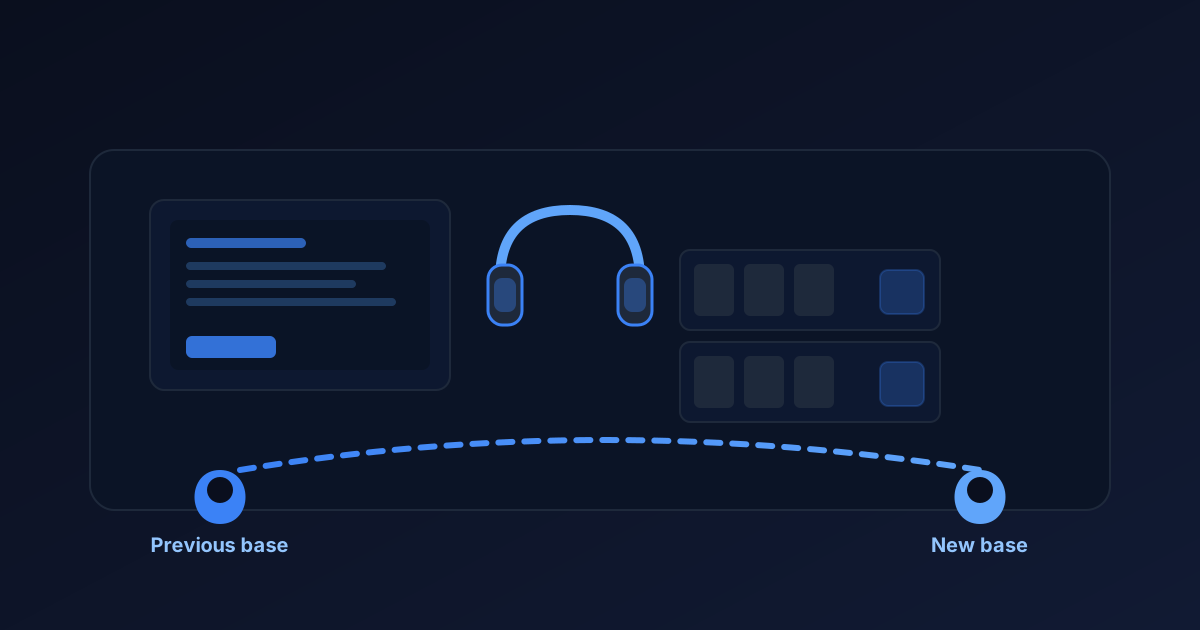
When you move your DJ business, update your website's service area, relevant business profiles, travel information, and inquiry process. Keep your past experience visible, but make clear where you work now.
Changing a city name does not automatically establish visibility or relationships in a new market. Your website is one part of helping potential clients and referral partners understand the move.
Start with accurate information, then build useful local connections and review how people find you.
Decide which areas you will actually serve
Before editing your website, define your new service area.
Consider:
- Your new primary city or region.
- Nearby areas you can realistically serve.
- Whether you will continue accepting events in your previous market.
- How travel affects your availability and pricing.
- Whether different event locations require additional planning.
Separate where you are based from where you are willing to travel.
For example, a fictional DJ could say:
"Now based in Sacramento, serving weddings across the surrounding region. Bay Area events considered by arrangement."
Use wording that reflects your actual business. Do not list locations simply because you want to appear in searches for them.
Update the website information visitors see first
Check the pages and shared elements that describe your location.
These may include:
- Homepage introduction.
- Service pages.
- About page.
- Contact page.
- Website footer.
- Package information.
- Frequently asked questions.
- Page titles and descriptions.
Update current service-area statements while preserving useful historical context.
An article describing a wedding you worked in your previous city does not automatically need rewriting. It can remain an accurate example of your past work.
Distinguish "an event we worked in this location" from "an area we currently serve."
If the site includes location information in structured data or other technical settings, have the person maintaining the website review those fields too.
Keep your experience without inventing local history
Moving does not erase the work you have already done.
Keep relevant event photos, genuine reviews, and accurate experience descriptions. Add context where visitors might otherwise assume that every event happened in your new area.
You might explain:
"After providing DJ services in our previous market, we are now based in our new city."
Replace that general wording with your real details.
Avoid claiming established relationships with local venues or experience at local weddings you have not worked.
If a gallery shows events in another region, label locations where useful. Your experience can demonstrate your work without being presented as a local portfolio.
For more guidance, see how wedding DJs can build more trust online.
Review business profiles and directory listings
Make a list of the public profiles you actively use.
Check the business name, contact details, website link, service area, and any publicly displayed address.
Follow each platform's current process for updating a location. A move may involve verification or different requirements depending on the service.
Do not create duplicate profiles simply to show the new city. Check the platform's instructions before deciding whether to update an existing listing or take another action.
If you work from home, review what address information is public and which options the platform permits for your type of business.
Keep access to the accounts you manage. You do not need to send passwords through a general website-content document.
For an agency-managed profile, coordinate the changes with the person who maintains it.
Clarify travel and package information
A move can change the practical details of serving an event.
Review whether your published information still reflects:
- Travel from your new base.
- Coverage hours.
- Setup and breakdown needs.
- Events you may continue serving in the previous region.
- Additional travel or accommodation costs where applicable.
You do not need to publish a universal travel fee if your costs depend on the venue and schedule.
Explain what you need to confirm before quoting. Do not leave an old statement such as "travel included throughout the county" if it no longer describes your offer.
Check downloadable package documents as well as the website itself.
See how your DJ website can help couples understand your pricing for more about setting clear expectations.
Add useful information about the new area
You can explain your new service area without building a separate page for every nearby city.
Start with information a potential client can use:
- Which locations you serve.
- Whether travel is available beyond that area.
- How to ask about a venue.
- Which event details you need to assess the inquiry.
If you create a location page, give it a useful purpose beyond repeating the same text with another city name.
Include truthful information about your services in that area. Do not invent venue partnerships, testimonials, local projects, or event photos.
You can describe a venue as one you are interested in working with, but that is different from saying you have performed there.
There is no need to imply a long local history to explain that you are available for inquiries.
Check inquiries and consultation scheduling
Review the questions your website asks.
Does the form collect the venue or city? Can someone explain that the venue is still undecided? Does the confirmation message describe what happens next?
If you use a consultation calendar, check your appointment availability, time zone, and meeting details after the move.
Keep the consultation appointment separate from the wedding date. Scheduling a conversation does not confirm event availability or reserve your services.
Test the inquiry process using details you control. Trace where the submission arrives rather than relying only on a success message.
For more detail, see the guide to consultation calendars for DJ websites.
Build relationships alongside the website updates
Your previous market may have included referrals from venues, planners, photographers, or other DJs.
Updating a website does not recreate those relationships in a new city.
Identify relevant local businesses and professional groups. Learn how they work, introduce your services honestly, and look for appropriate opportunities to connect.
Share relevant examples of your work without pretending they were local events.
If someone refers an inquiry, record the source. That can help you understand which relationships are producing conversations over time.
Avoid adding a venue's logo or describing it as a partner simply because you have introduced yourself.
Record where new inquiries come from
Keep a simple record of inquiries after the move.
Useful details include:
- Inquiry date.
- Requested wedding date.
- Venue or city.
- How the couple found you, when known.
- Whether the event is within your current service area.
- Current status and next action.
This helps distinguish several different situations.
You may receive inquiries from your previous market, few inquiries from the new area, or relevant inquiries that do not become bookings. Those situations call for different questions.
Do not assume a quiet period proves the website is broken.
See how to track wedding DJ inquiries without a full CRM for a practical process.
Use this update list
| Area | What to review |
|---|---|
| Website introduction | Current base, services, and service area |
| Service and contact pages | Locations served and correct contact details |
| Past work | Accurate event locations and historical context |
| Profiles and directories | Current information and platform-specific update requirements |
| Packages and documents | Travel guidance and applicable costs |
| Forms and calendars | Venue questions, appointment settings, and working delivery |
| Referral relationships | Honest introductions and appropriate local connections |
Swipe to view all columns →
Complete the changes that affect accuracy first. You can add more useful content as you gain experience in the new area.
For a wider website review, use the wedding DJ website checklist.
A hypothetical example
Imagine a DJ moving from Fresno to Sacramento while continuing to consider selected Central Valley events.
The DJ updates the homepage and contact page, clarifies travel guidance, and labels older portfolio images with their actual event locations.
They review existing business profiles through each platform's normal process and check that inquiries collect the venue or city.
They also introduce themselves to relevant local professionals and record the source of new inquiries.
These actions make the business information clearer and support the transition. They do not establish how quickly the DJ will gain visibility or secure events in the new market.
Frequently asked questions
Should I remove all references to my previous city?
No. Keep accurate historical context and explain any continuing service availability. Correct statements that misleadingly present the previous city as your current base.
Can I keep reviews from clients in my previous market?
Moving does not make genuine past feedback irrelevant. Use truthful attribution and follow the review platform's rules. Do not imply that the review describes a local event if it does not.
Do I need a new website domain?
A move does not automatically require a new domain. If your existing domain is tied to the previous location, assess whether it creates meaningful confusion before making a change. Plan any URL or domain migration with the person maintaining your site.
How soon will I appear in searches for the new city?
There is no fixed timeline or guaranteed position. Website information, business profiles, competition, and other factors can affect discovery. Check available search and inquiry data rather than relying on a promised deadline.
What if I update everything but inquiries are still low?
Accurate information is a starting point, not a source of guaranteed demand. Review relevant traffic, referral activity, service fit, and inquiry delivery separately. The guide to why your DJ website isn't getting inquiries explains those possibilities.
Keep your website aligned with where you work
A move is a useful time to review whether your website accurately represents your business.
DJ Web Studio offers a customized website for $297 setup + $49/month, including hosting and routine minor updates. If you need a consultation calendar, we help install and configure it, or we can help connect an existing compatible scheduler.
Third-party app subscriptions may cost extra. Optional marketing services are separate. A website update does not by itself include profile migrations, directory cleanup, or a local marketing campaign.
Related Articles
How to Add a Consultation Booking Calendar to Your DJ Website
A consultation calendar lets couples schedule a call without the back-and-forth emails. Here is how to set it up, place it, and test it on a DJ website.
Wedding DJ Website Maintenance: What to Update After Launch
A professional website is not a one-time project. Here is a practical guide to the content and technical updates that keep a wedding DJ website working after launch.
Wedding DJ SEO: Practical Steps for Google and AI Search
How Search and AI answer engines discover wedding DJ websites, what actually helps pages rank or appear in snippets, and what claims to avoid.